
Starting in 2025, The One Big Beautiful Bill Act (OB3) provides a new tax benefit for workers who receive tip income. While it’s widely referred to as “No Tax on Tips,” what it really does is create a significant federal tax deduction for eligible tipped workers, potentially lowering your taxable income and tax liability when you file your tax return.

What Is the “No Tax on Tips” Deduction?

This deduction allows eligible workers to subtract a portion of their tip income from their federal taxable income for tax years 2025 through 2028.

Unlike a full exemption (which would make tip income completely tax-free), this change is a deduction, meaning you still report all your tip income, but you’re able to exclude up to a certain amount from taxable income when calculating federal income tax.

Who Can Take the Deduction?

To qualify for the deduction:

  • You must report your tips on your federal tax return, either through a Form W-2, Form 1099, or by reporting directly on a Form 4137. For 2025 the tips can also be reported as income on Schedule C.
  • You must have a valid Social Security number on your return.
  • Your tips must come from a job in an occupation that the IRS considers “customarily and regularly” receiving tips before December 31, 2024.
  • You can claim the deduction whether you itemize deductions or take the standard deduction.

However, some individuals are not eligible:

  • If you’re self-employed in a “Specified Service Trade or Business” (SSTB) under tax code Section 199A. However, this rule is waived for 2025 tax returns.
    • SSTB’s are businesses where the main value comes from the reputation, skill, or expertise of the owners or employees, rather than from selling products.
  • Employees of businesses that are categorized as SSTBs, even if the worker is in a qualifying occupation. This provision is waived for 2025 tax returns.
  • Married taxpayers must file jointly to claim the deduction.

How Much Can You Deduct?

The deduction has specific limits:

  • Maximum Deduction per Year: up to $25,000 of your qualified tip income.
  • Income Phase-Out: begins for higher-income taxpayers.
    • For single filers, it starts reducing once your modified adjusted gross income (MAGI) is over $150,000.
    • For married couples filing jointly, the phase-out starts at $300,000.

If your income keeps rising above those thresholds, the amount you can deduct gradually shrinks.

For self-employed workers, your deduction cannot exceed the net income you earned from your tipped business activity (before applying the deduction).

What Qualifies as a “Qualified Tip”?

Not all tip-like income counts, so here’s what qualifies:

  • Voluntary tips: must be voluntary and paid by the customer, not automatically added service charges.
  • Cash or cash-equivalents: cash, credit/debit card tips, checks, gift cards, etc. Cash tips do not include items paid in any medium other than cash, such as event tickets, meals, services, or other assets that are not exchangeable for a fixed amount in cash (such as most digital assets).
  • Occupational requirement. You must earn your tips in an occupation on the IRS’s list of jobs that “customarily and regularly receive tips.” These jobs include beverage and food service, entertainment and events, hospitality and guest services, home services, personal services, personal appearance and wellness, recreation and instruction, and transportation and delivery.

What Doesn’t Qualify

  • Mandatory service charges included on a bill. For example, if you’re a server at a restaurant and an automatic gratuity of 20% is added to the bill, this amount will not qualify for the deduction.
  • Tips from occupations not on the IRS’s eligible list. Alas, accountants are not on the list of eligible occupations.
  • Tips not reported on W-2, Form 4137, 1099-NEC, or as income on Sch-C (2025 only)
  • Amounts received from illegal activities (obviously).

How to Claim the Deduction

When you prepare your 2025 tax return (filed in 2026):

  1. Report all of your tip income, just as you always have.
  2. Claim the tip deduction (up to $25,000) as an above-the-line deduction on Schedule 1-A, which reduces your adjusted gross income.
  3. File jointly if you’re married, and make sure your income falls within the qualifying limits.

Note: For tax year 2025, employer reporting systems may not yet show tips separately on W-2s or 1099s – the IRS is providing transition relief while it updates forms and reporting procedures.

What This Means for Tipped Workers

For many workers in traditional tipping jobs, this deduction could lower your federal taxable income and reduce your tax bill, helping you keep more of what you earn. However, it’s important to remember:

  • You still report all of your tip income.
  • The deduction applies only to federal income tax – payroll taxes (Social Security, Medicare) still apply as before OB3. State rules vary.
  • The change is temporary, lasting only through tax year 2028.

Bottom Line

The “No Tax on Tips” provision offers a new way for eligible tipped workers to reduce their federal tax burden between 2025 and 2028. By understanding the rules – who qualifies, how much you can deduct, and what counts as “qualified tips” – you can take full advantage of this change and possibly keep more of your hard-earned money.


Need help determining if your job qualifies or how to report your tips correctly? Contact us today!


The information provided in this article is intended for general informational purposes only and does not constitute tax, legal, or financial advice. Tax situations vary based on individual circumstances. You should consult with a qualified tax professional regarding your specific situation before making any decisions.
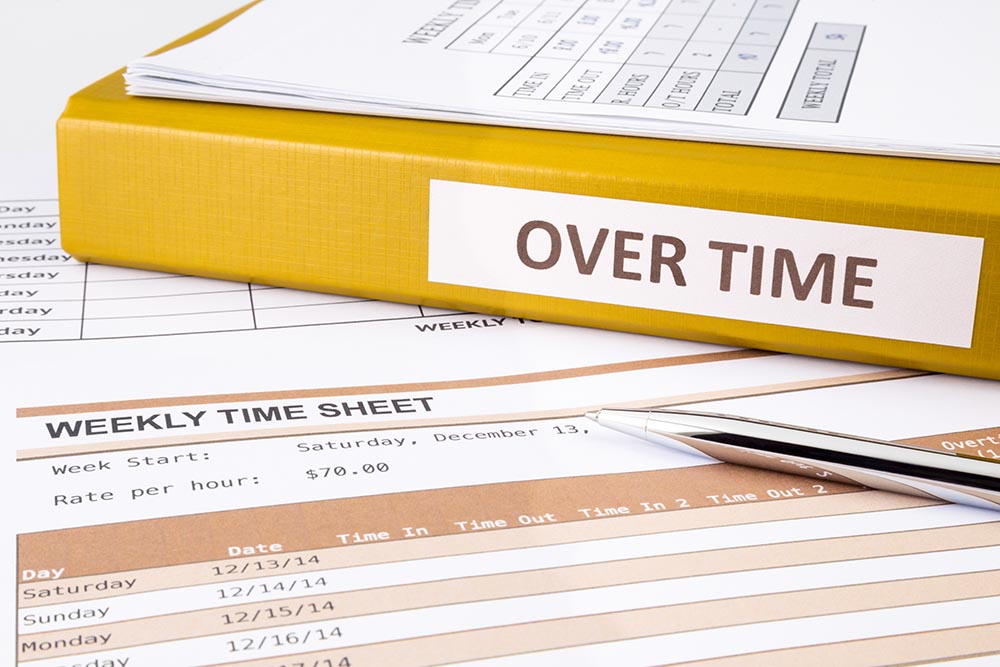
In 2025, a major new federal tax law, the One Big Beautiful Bill Act (OB3), introduced a headline-grabbing provision: “No Tax on Overtime.” While the name sounds like overtime pay is completely free from taxes, the reality is a little more nuanced. Let’s break down what it actually means, who can benefit, how much you can claim, and the rules for taking it.

What Is the “No Tax on Overtime” Change?

The OB3 creates a new federal income tax deduction for certain earnings on overtime that is earned in tax years 2025 through 2028. Instead of treating overtime pay as entirely nontaxable, as the headlines suggest, the law lets eligible workers deduct part of their overtime earnings from their taxable income when they file their federal tax return.

Important:
This isn’t a tax credit or a change to payroll withholding (yet) — it’s a deduction you claim on your tax return. For now, overtime will still show up as wages on your W-2.

Who Can Take This Deduction?

This deduction is available to workers who receive qualified overtime compensation. To qualify:

  • Your overtime must be paid under the Fair Labor Standards Act (FLSA) definition, which is typically time-and-a-half pay for hours worked over 40 in a workweek.
  • The overtime premium (the extra portion above your regular hourly rate) is what can be deducted.
    • For example, if your regular pay is $20/hour and overtime pay is $30/hour, the qualified overtime portion that may be deducted is $10/hour.
  • Overtime paid under state law that is more generous than FLSA  doesn’t count. For example, CA requires overtime pay when an employee works over 8 hours in a day, even if they don’t work 40 hours that week. This overtime is not deductible. Only when the taxpayer works over 40 hours is the overtime eligible.
  • Overtime rates above FLSA minimums (such as double-time) may not qualify.
  • Overtime paid under a collective bargaining agreement is generally not deductible. However, there are exceptions. Police officers and firefighters will typically still qualify.
  • Non-FLSA workers, most commonly independent contractors, do not qualify unless they receive qualified overtime compensation reported on a Form 1099-NEC.
  • You must file a federal tax return with your Social Security number and file jointly if you are married.

How Much Can You Deduct?

The deduction has annual limits:

  • Up to $12,500 for single taxpayers.
  • Up to $25,000 for married filing jointly.

This cap applies to the qualifying premium portion of overtime pay, not your total overtime earnings. It’s an above-the-line deduction, which means it can reduce your taxable income whether or not you itemize.

An important note is that this limit is per return, not per taxpayer. For example, let’s say a taxpayer earns $20,000 of qualified overtime. If they file Single, $12,500 is deductible. If they file Married Filing Jointly, the entire $20,000 would be deductible even if the spouse earned no overtime pay.

Income Limits and Phase-Outs

To prevent high-income taxpayers from taking the full benefit, the deduction begins to phase out once your Modified Adjusted Gross Income (MAGI) passes certain thresholds:

  • For single filers: $150,000.
  • For joint filers: $300,000.

As your income rises above the thresholds, the amount you can deduct shrinks until it is eliminated. For single filers the phaseout is complete at $275,000 and $550,000 for joint filers.

How To Claim the Deduction

  • When you file your 2025 tax return (in 2026), calculate and claim the deduction on Schedule 1-A, even if your W-2 or 1099 doesn’t separately break out qualified overtime for 2025.
  • Starting in 2026, employers are expected to provide clearer reporting of qualified overtime on your W-2 or pay statements.

Key Takeaways

  • You can deduct qualified overtime compensation from your federal taxable income for 2025–2028.
  • The deduction applies only to the overtime premium, not regular pay.
  • Maximum deduction is $12,500 (single) or $25,000 (joint).
  • There are income phase-outs above $150K (single) and $300K (joint).
  • You must claim it on your tax return


Have any questions? Contact us today!


The information provided in this article is intended for general informational purposes only and does not constitute tax, legal, or financial advice. Tax situations vary based on individual circumstances. You should consult with a qualified tax professional regarding your specific situation before making any decisions.

If you’ve just finished your tax return and discovered you owe state taxes, your next question is probably, “Okay… how do I actually pay this?” The answer depends on where you live, and the rules, payment methods, and forms vary widely from state to state.

Some states allow easy online payments directly from your bank account. Others accept credit cards (often with convenience fees), and many still require a payment voucher if you’re mailing a check. A few states even have mandatory electronic payment thresholds that can trigger penalties if you pay the wrong way.

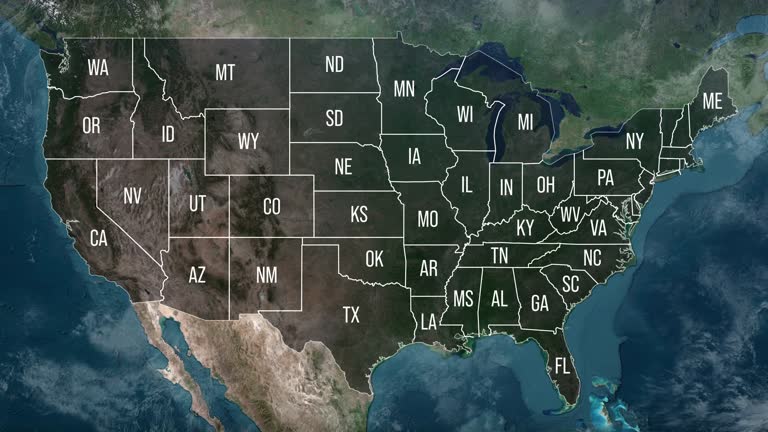
To make things easier, we’ve created this complete, state-by-state guide explaining exactly how to pay your tax balance in every state,  including your online options, mailing instructions, accepted payment methods, and special rules you should know before you submit your payment.

  • Alabama
    • Check or money order. Make checks payable to the “Alabama Department of Revenue.” Remit payment with Form 40V. See Mailing Addresses, above.
    • Electronic payment. Online payments can be made using a bankaccount or a credit/debit card at www.myalabamataxes.alabama.gov. Paying with a bank account (e-check) is free. There is a con-venience fee for credit/debit card payments. Do not use Form40V when paying online.
  • Alaska
    • Visit: https://www.irs.gov/payments.
  • Arizona
    • Check or money order. Make checks payable to Arizona Department of Revenue. Include SSN, tax year, and type of payment.
    • Electronic payment from checking or savings account. For electronic payment, go to www.aztaxes.gov. Click on Make a Payment.Keep the confirmation number as proof of payment.
    • Credit card payment. Visa, MasterCard, Discover, or AmericanExpress are accepted. Go to www.aztaxes.gov. Click on Make a Payment. Keep the confirmation number as proof of payment. The credit card vendor will charge a fee.
  • Arkansas
    • Check or money order. Complete Form AR1000V, Individual Income Tax Return Payment Voucher, and attach a check or money order payable to the Department of Finance and Administration.
    • Electronic payment. Taxpayers can make electronic payments at www.atap.arkansas.gov.
    • Credit card. Credit card payments can be made by calling 800‑272‑9829 or at www.acipayonline.com and click on the Payment Center link. A convenience fee will be charged.
  • California
    • Electronic funds withdrawal. Taxpayers can use an electronic funds withdrawal if e-filing using tax preparation software by providing bank information, amount to pay, and the date the balance due is to be withdrawn from the account.
    • Form 8879 (PMT), California Electronic Funds Withdrawal Payment Signature Authorization for Individuals and Fiduciaries. Form 8879 (PMT) is the signature document for a stand-alone payment via electronic funds withdrawal for a tax due payment. Do not use this form if the taxpayer will sign Form FTB 8453 (PMT), see page CA-15. This form is not submitted to the FTB and must be retained by the preparer for four years.
    • Check or money order. Taxpayers may make payment by mailing a check or money order made payable to the “Franchise Tax Board.” Do not send cash. Taxpayers write their SSN or ITIN and “2024 Form 540 (or 540NR)” as applicable on the check or money order. Enclose, but do not staple, a check or money order payment when mailing in a paper-filed tax return. Make all checks or money orders payable in U.S. dollars and drawn against a U.S. financial institution. Do not combine a 2024 tax payment and any 2025 estimated tax payment in the same check. Prepare two separate checks and mail each in a separate envelope. A penalty may be imposed if the taxpayer’s check is returned for insufficient funds. If the taxpayer e-filed the tax return, mail a check or money order with Form FTB 3582, Payment Voucher for Individual e-filed Returns. Do not mail a copy of the e-filed tax return.
    • Web Pay. Taxpayers may make an online payment (balance due, extension, estimated tax, or other payments) using the FTB Web Pay website at: www.ftb.ca.gov/pay.
    • Credit card. Taxpayers may use Discover, MasterCard, Visa, or American Express cards to pay tax. If paying by credit card, do not mail Form FTB 3519, Payment for Automatic Extension for Individuals. Call 800-272-9829 or go to the ACI Payments website at www.officialpayments.com, and use the jurisdiction code 1555. ACI Payments charges a convenience fee.
    • Mandatory electronic payments. Taxpayers are required to remit all payments electronically once an estimate or extension payment exceeding $20,000 is made, or an original return with a total tax liability over $80,000 is filed. Once a taxpayer meets this threshold, all subsequent payments, regardless of amount, tax type, or taxable year, must be remitted electronically. The first payment that would trigger the mandatory e-pay requirement does not have to be made electronically. Electronic payments can be made using Web Pay (see above), electronic funds withdrawal (EFW) as part of the e-file return, or a credit card.
  • Colorado
    • Pay online. E-filers have the option of paying electronically online at www.colorado.gov/revenueonline with a credit card, e-check, or by EFT. EFT registration is required prior to making a payment. Nominal processing fees apply to credit card and e-check payments. Paper filers can choose to pay electronically.
    • Pay by mail. Taxpayers filing by Revenue Online or other electronic filing methods can pay by sending a check or money order. Form DR 0900, Individual Income Tax Payment Form, must be included with the payment. Paper filers enclose their check or money order in the envelope provided and mail with their return.
    • Payment plan. The Department of Revenue will issue a bill for any unpaid balance due. When the taxpayer receives the bill, he or she may set up a payment plan as instructed on the bill.
  • Connecticut
    • Pay electronically. To make direct payment from a bank account, visit myconneCT at portal.ct.gov/DRS-myconneCT and follow the prompts.
    • Pay by credit card or debit card. Visit acipayonline.com and select “state payments.” A convenience fee will be charged by the service provider.
    • Pay by mail. Make check payable to Commissioner of Revenue Services. Write “2024 Form CT-1040 or Form CT-1040NR/PY” and the taxpayer’s SSN on the front of the check. Paperclip the check to the front of the return if paper filing. Include check with Form CT-1040V, Connecticut Electronic Filing Payment Voucher, for electronically filed returns.
  • Delaware
    • Make checks payable to “Delaware Division of Revenue.”
    • Payments may be made by direct (ACH) debit or by credit card by going to www.revenue.delaware.gov and following the “Pay” link. Payments from direct debit accounts are accepted without dollar limitations. Payments from credit cards are limited to $10,000.
  • Florida
    • Visit: https://www.irs.gov/payments.
  • Georgia
    • Electronic payment. Login at https://gtc.dor.ga.gov and click the “Make a Quick Payment” link. Estimated payments, extension payments, current tax due, and assessment notices can all be paid using the system.
    • Credit cards. Credit card payments can be made either by phone or online using ACI Payments, Inc. To use the phone call 1-800-2PAY-TAX. For online payments go to www.acipayonline.com. A convenience fee will be charged by ACI. Estimated payments, current tax due, and assessment notices can all be paid by credit card.
    • Check or money order. Mail a check or money order with Form 525-TV, Individual and Fiduciary Payment Voucher. Write the taxpayer’s SSN or FEIN on the check or money order made payable to Georgia Department of Revenue.
    • Paper filed return. Enclose (do not staple) voucher and payment with a paper filed return.
    • Electronic filed return. For electronically filed returns, mail the voucher and payment.
  • Hawaii
    • Use Form N-200V, Individual Income Tax Payment Voucher, to send payment to the Department of Taxation when paying a balance due on Form N-11, N-15, or N-310, but not if making a payment with the return. If a taxpayer files electronically, but is not paying electronically, use Form N-200V to send the payment to the Department of Taxation.
    • Electronic payments. Payments can also be made electronically with a credit card or an electronic bank debit through Hawaii Tax Online at: https://hitax.hawaii.gov.
  • Idaho
    • Electronic payments. There is no fee when paying by ACH Debit. If paying by credit card or e-check, a third-party provider will charge a convenience fee. American Express, Discover, MasterCard, and VISA are accepted. To make credit/debit card, e-check, and ACH Debit payments go to: tax.idaho.gov/epay.
    • Check or money order. Make checks or money orders payable to the Idaho State Tax Commission and include the taxpayer’s Social Security Number. Do not staple payments to forms or send check stubs. If sending payment with Form 40 or Form 43, include the payment with the return.
    • Form ID-VP. If mailing payment without a return, use Form ID-VP, Income Tax Voucher Payment.
  • Illinois
    • Check or money order. Make check payable to Illinois Department of Revenue, including the taxpayer’s Social Security Number (and spouse’s if filing jointly) and the tax year on the lower left corner of the payment. Staple the payment and Form IL-1040-V, Payment Voucher for Individual Income Tax, to the front of a paper-filed Form IL-1040. For an e-filed return, mail a check with Form IL-1040-V.
    • Electronic payment. Payment may be taken directly from a checking or savings account. The bank routing and account number, as well as an Illinois PIN, are needed. The financial institution must be located within the U.S. Go to https://mytax.illinois.gov.
    • Credit card. Go to https://tax.illinois.gov/individuals/pay/creditcard.html to choose the payment processor. Convenience fees are assessed.
  • Indiana
    • Electronic payments can be made via the Indiana Taxpayer Information Management Engine (INTIME), at https://intime.dor.in.gov. Accepted forms of payment via INTIME include electronic bank payment (ACH/e-check),VISA, MasterCard, and Discover debit or credit cards. No fees are assessed for electronic bank payments. Fees apply to payments made with credit or debit cards.
    • Check or money order. Make payable to Indiana Department of Revenue. Include payment loose in envelope. Do not paper clip or staple to return.
  • Iowa
    • Direct debit with income tax return. Payment is electronically withdrawn from the taxpayer’s checking or savings account through the tax software used to e-file.
    • Free online direct debit using bank account at https://revenue.iowa.gov/easypayiowa.
    • Credit or debit card. Payments can be made with either a credit or debit card using EasyPay or by calling 1-800-2PAY-TAX. A convenience fee applies.
    • Check or money order. Enclose Form IA 1040V, Individual Income Tax Payment Voucher, and a check made payable to Treasurer, State of Iowa. Payments must be at least $1. Write the type of tax being paid and the tax year being paid on the check or money order.
  • Kansas
    • Credit card. Payment by credit card is available online through third-party vendors. Go to ksrevenue.gov/taxpayment.html for a current list of authorized vendors. A convenience fee applies.
    • Direct payment. For an e-filed return, direct payment is an option during the filing process by providing bank routing and account numbers. Electronic payments can also be made if the return is paper filed by calling 785-368-8222, or log into the Kansas Department of Revenue Customer Service Center at www.ksrevenue.gov/eservices.html for an online transaction. To revoke a payment authorization, notify the Kansas Department of Revenue by calling 785-368-8222 by 4 p.m. two business days before the scheduled payment date.
    • Check or money order. Form K-40V, Individual Income Tax Payment Voucher, must be completed and submitted to pay by check or money order. Make checks and money orders payable to “Kansas Income Tax” and include the last four digits of the taxpayer’s SSN and a valid phone number. Do not staple or tape the payment to Forms K-40V or K-40. Form K-40V can be submitted with Form K-40 or separately if the return was filed electronically or already mailed.
  • Kentucky
    • Check or money order. Make check payable to “Kentucky State Treasurer.” Write “KY Income Tax – 2024” and the taxpayer’s Social Security Number on the check. Attach to left side of Form 740 or Form 740-NP on top of other attachments.
    • Electronically filed returns. Enclose check with Form 740-V, Kentucky Payment Voucher.
    • Credit card or ACH debit. Access the Department of Revenue’s website at https://revenue.ky.gov.
    • Electronic payment. Two forms of electronic payment can be made.
      • Form EPAY, Kentucky Electronic Payment Request, can be used to initiate an ACH withdrawal for payment of taxes and estimated taxes other than at the time of filing the individual income tax return.
      • Form 8879-K, Kentucky Individual Income Tax Declaration For Electronic Filing, should be completed if the request for payment is made at the time of filing the individual income tax return.
    • Louisiana
      • Check or money order. Make the check or money order payable to Louisiana Department of Revenue. Print the last four digits of the taxpayer’s Social Security Number on the check or money order.
      • Electronic payment can be made on the Louisiana Department of Revenue website. Go to www.revenue.louisiana.gov/latap.
      • Credit card. Payment can be made by credit card over the phone or internet. Go to revenue.louisiana.gov/MakeAPayment, or call 833-458-6521.
    • Maine
      • Check or money order. Make the check or money order payable to “Treasurer, State of Maine.” If filing a paper return, payment may be enclosed with the return (do not staple or tape). For e-filed returns, use Form 1040ME-PV, Maine Individual Income Tax Payment Voucher.
      • Taxpayers can use their bank account or credit card to make tax due payments using the Maine Tax Portal. Go to https://revenue.maine.gov and click on “Make a Payment.”
    • Maryland
      • Check or money order. Make check or money order payable to “Comptroller of Maryland.” Write taxpayer’s Social Security Number, type of tax, and tax year on the check or money order. The check or money order should be attached with a single staple to completed Form PV, Personal Tax Payment Voucher. Do not attach the check or money order to the taxpayer’s return.
      • Make electronic payments via bank account online at www.marylandtaxes.gov and select Individual Payment under Pay. Individuals log into the Comptroller’s Individual’s Online Service Center and provide account type, bank routing number and account number, amount, and date of debit. To be eligible to make online payments, a Maryland return must be on file for the registered user. Income tax, estimated tax, and extension payments may be made online.
      • Credit card or debit card. Credit or debit card payments can be made by calling 877-884-4009 or at https://www.marylandtaxes.gov/business/tax-assistance/credit-card.php. A convenience fee applies.
    • Massachusetts
      • Electronic payment. Tax due payments may be made online using a credit card (fee applies) or electronic funds transfer (ACH debit) with MassTaxConnect at: mass.gov/masstax-connect.
      • Check or money order. Make checks payable to the Common-wealth of Massachusetts and write the taxpayer’s Social Security number on the front of the check or money order in the lower left corner. Enclose payment and Form PV, Massachusetts Income Tax Payment Voucher.
    • Michigan
      • Electronic payment. Payment can be made electronically through the Michigan Individual Income Tax e-Payments system which can be found at www.michigan.gov/iit. A fee will apply for debit card and credit card transactions.
      • Payment by check. Payment can be included with the tax return. The check should be payable to “State of Michigan.” Include the last four digits of the taxpayer’s Social Security Number and appropriate tax year on the front of the check or money order. If the return is e-filed, payment can be mailed with Form MI-1040V, Individual Income Tax Payment Voucher.
    • Minnesota
      • Taxpayers can make electronic payments by going to www.revenue.state.mn.us and clicking on “Make a Payment” under “Individuals.” The taxpayer should then select either “Bank Account” or “Credit or Debit Card” and follow the prompts to make his or her payment. A foreign bank account cannot be used.
        • Note: A fee is charged for credit and debit card payments.
      • Check or money order. Create a payment voucher by going to www.revenue.state.mn.us and choose “Make a Payment” under “Individuals.” Select “Check or Money order.” Print the voucher and mail with a check made payable to Minnesota Revenue.
    • Mississippi
      • Check or money order. Attach a check made payable to Department of Revenue to Form 80-106, Payment Voucher. Attach payment voucher to the front of a paper filed return.
      • Go to www.dor.ms.gov, click on TAP (Taxpayer Access Point) and follow the instructions.
      • Credit card or electronic checks. To pay by credit card or electronic check, go to www.ms.gov/dor/quickpay. A convenience fee is charged by the service provider.
    • Missouri
      • Attach payment to return or mail with Form MO-1040V. Make checks payable to Missouri Department of Revenue.
      • Direct debit. Payments can be submitted with an e-filed return through the software provider. Payments can be scheduled for up to 120 days in advance.
      • Online payments. Missouri accepts online payments, including extension and estimated tax payments using eCheck or credit card. Go to: https://dor.mo.gov/taxation/individual/pay-online.html.
        • Enter routing number and checking or savings account number. A convenience fee applies and payment is postmarked date submitted, unless scheduled for a future date.
        • Credit or debit card. Missouri accepts MasterCard, Discover,VISA, and American Express. Debit cards are accepted and processed as credit cards. The convenience fee is 2% of the total amount due, plus $0.25 per card transaction, on all amounts and will be charged to the taxpayer’s account for processing credit card payments.
      • Call 888-929-0513 to make a payment through an Interactive Payment Line. Payments can be made by credit card or electronic bank draft and have the same convenience fees as online payments.
    • Montana
      • Electronic funds withdrawal. This can be scheduled with e-filing the return. The withdrawal can be scheduled for a later date.
      • E-check or credit/debit card. Use the TransAction Portal (TAP) at https://tap.dor.mt.gov. There is a fee when paying with a credit or debit card.
      • Personal check, money order, or cashier’s check. Enclose Form IT, Montana Individual income Tax Payment Voucher, and a check made payable to Montana Department of Revenue. Include Social Security Number and “Tax Year 2024” on the memo line. Payments of $500,000 or more must be made electronically.
    • Nebraska
      • Electronic funds withdrawal (EFW). Payment may be made through an electronically filed return. To cancel a payment call 800-742-7474 at least two business days prior to the scheduled payment date.
      • Nebraska e-pay. Payment may be made through Nebraska’s web-based electronic payment system. Go to www.revenue.nebraska.gov/individuals, where the taxpayer will enter his or her bank account number and routing number.
      • Credit card. Payment may be made by credit card initiated through ACI Payments at www.acipayonline.com or by calling 800-272-9829. A convenience fee will be charged.
      • Check or money order. Make a payment by check or money order payable to “Nebraska Department of Revenue.” Mail the check or money order with Form 1040N-V, Nebraska Individual Income Tax Payment Voucher.
    • Nevada
      • Visit: https://www.irs.gov/payments.
    • New Hampshire
      • Online payment. Make an online payment for current year tax, estimated tax, extension payments, or past due tax at Granite Tax Connect https://gtc.revenue.nh.gov/TAP.
      • Check or money order. Make check or money order payable to the State of New Hampshire and include the taxpayer identification number on the check. Mail with the return.
    • New Jersey
      • Check or money order. Make check or money order payable to State of New Jersey-TGI. Write the taxpayers’ Social Security Numbers on the check. Send the payment with the payment voucher in the same envelope with the tax return. Residents use Form NJ-1040-V payment voucher. Nonresidents use Form NJ-1040NR-V payment voucher.
      • E-filed returns. Mail the payment along with the voucher to the address listed under Mailing Addresses, previous column, for either resident or nonresident returns.
      • Electronic check. This option is available on the Division’s website at nj.gov/treasury/taxation/payments-notices.shtml. Taxpayers can also make an e-check payment by calling customer service at 609-292-6400.
      • Credit card. Pay online at www.nj.gov/treasury/taxation/payments-notices.shtml or by phone 1-888-673-7694, using a Visa, American Express, MasterCard, or Discover credit card. Fees apply.
    • New Mexico
      • Credit card or electronic check. Taxpayers may make payments online through Taxpayer Access Point (TAP) at https://tap.state.nm.us. Taxpayers may pay by electronic check at no charge or make a tax payment via credit card for a convenience fee.
      • Paper check. Complete payment voucher PIT-PV, Personal Income Tax Payment Voucher, and submit with check. Make checks payable to New Mexico Taxation and Revenue Department. Write the taxpayer’s Social Security Number, PIT-PN, and 2024 PIT-1 on the check. Mail payment to Payment attached address, above.
    • New York
      • Automatic bank withdrawal. The taxpayer may authorize electronic funds withdrawal from a bank account located in the United States by entering the bank information on line 83, Form IT-201, line 73, Form IT-203, or at www.tax.ny.gov and click on “Make a payment.”
      • Check or money order. Taxpayers may make payment using a check or money order payable to “New York State Income Tax.” Taxpayers include the last four digits of their SSN and “2024 Income Tax” on the check or money order. Do not send cash. Must submit the check or money order with Form IT-201-V, Payment Voucher for Income Tax Returns.
      • Credit card. American Express, Discover, MasterCard, or VISA may be used to pay income taxes. Go to www.tax.ny.gov and click on “Make a payment.” A 2.20% convenience fee applies. Keep the confirmation number as proof of payment.
    • North Carolina
      • Electronic funds withdrawal. This can be scheduled with e-filing the return. The withdrawal can be scheduled for a later date.
      • Bank draft and credit or debit card payments can be made online at https://ncdor.gov by selecting “File and Pay” and “eServices.”There is a convenience fee to pay by credit or debit card.
      • Check or money order. A taxpayer can mail a tax payment via check or money order payable to the “North Carolina Department of Revenue.” Ensure that the taxpayer’s name, address, and Social Security Number(s) are written on the payment. Include a payment voucher, Form D-400V.
        • Note: North Carolina will not accept a check, money order, or cashier’s check unless it is drawn on a U.S. (domestic) bank and the funds are payable in U.S. dollars.
      • Amended payment. When filing an amended North Carolina tax return, an individual who owes additional tax should include Form D-400V Amended, Individual Income Payment Voucher. Form D-400V Amended allows North Carolina to process amended payments more accurately and efficiently with fewer errors.
    • North Dakota
      • Go to www.tax.nd.gov and select “Make a Payment.”
      • Electronic payment. An electronic payment authorizes the tax department to debit a checking or savings account for a specific amount. There are no fees for using this payment option.
      • Credit or debit card. Pay with a credit card or debit card through an authorized IRS payment processor. A processing fee applies.
      • Paper return check or money order. Complete Form ND-1PRV, Individual Paper Return Payment Voucher, and enclose with payment to pay a balance due on a paper-filed return. Make check or money order payable to ND State Tax Commissioner and include the last four digits of the taxpayer’s SSN and “2024 ND-1PRV.” Mail the payment voucher to the Form ND-1 return address shown above. Do not use Form ND-1PRV for an e-filed return or to make an extension payment.
      • e-Filed return check or money order. Complete Form ND-1V, Individual e-File Return Payment Voucher, and enclose with payment to pay a balance due on an e-filed return. Make check or money order payable to ND State Tax Commissioner and include the last four digits of the taxpayer’s SSN and “2024 ND-1.” Mail the payment voucher to the address shown above. Do not use Form ND-1V to make an extension payment.
    • Ohio
      • Credit card. Taxpayers may make tax payments using Discover, VISA, MasterCard, or American Express at https://tax.ohio.gov/pay. All debit and credit card payments are processed by ACI Payments, Inc., which will charge a convenience fee for this service.
      • Electronic check. This payment option is available to all taxpayers. If filing electronically, follow the payment instruction prompts during the electronic filing process. If filing a paper return, pay via the department’s OH TAX eServices available at https://tax.ohio.gov/pay.
      • Paper check or money order. Ohio income tax. Make checks payable to “Ohio Treasurer of State”. School district income tax. Make checks payable to “School District Income Tax”. All payments should be enclosed with Form OUPC, Ohio Universal Payment Coupon.
    • Oklahoma
      • Pay by mail. Enclose a check or money order payable to the Oklahoma Tax Commission with payment voucher Form 511-V.
      • Pay online. To make a payment online, visit OkTAP at tax.ok.gov and click on the Make a Payment link.
      • Payment plan. The Tax Commission will issue a bill for any unpaid balance due plus interest and penalties. When the taxpayer receives the bill, payment options will be explained. If the taxpayer cannot pay the account in full through the billing process, contact the Oklahoma Tax Commission to set up a payment plan.
    • Oregon
      • Electronic check. Taxpayers can pay current year income taxes, estimated taxes, any prior-year tax due, and amended return taxes directly from a checking or savings account. This option is available through the website at oregon.gov/dor.
      • Credit card. Payment may be made with a Discover, MasterCard, or Visa credit card by going to Revenue Online at www.oregon.gov/dor. The service provider will charge a fee for this service. Keep the confirmation number as proof of payment.
      • Check or money order. Make check or money order payable to Oregon Department of Revenue. Write the tax year, form number or type of payment, and the last four digits of the Social Security Number or ITIN on the payment. Use Form OR-40-V payment voucher only if mailing payment separate from tax return.
    • Pennsylvania
      • Electronic payment requirement. Payments of $15,000 or more must be made electronically. Payments not made electronically will be subject to a penalty equal to 3% of the payment amount not to exceed $500.
      • Check or money order. Make payable to: PA Dept. of Revenue. Write 2024 PA-40V, the taxpayer’s Social Security Number, and daytime phone number on the check. Enclose Form PA-40V, PA-40 Payment Voucher, for an e-filed return (optional for a mailed-in return).
      • Credit/debit card. Go to www.acipayonline.com or call 1-800-2PAYTAX (1-800-272-9829). The service provider will charge a fee. Code is 4800 for Pennsylvania.
      • Electronic funds transfer. Go to myPATH at www.mypath.pa.gov. There is no charge for this option.
    • Rhode Island
      • Credit card. Visit the credit card payments pages of the Division of Taxation’s website at https://www.ri.gov/app/taxation/payments. On the upper left corner of page one of Form RI-1040 or RI-1040NR, enter the confirmation number and the amount of tax payment from the payment transaction. A convenience fee applies.
      • Visit Rhode Island’s tax portal at https://taxportal.ri.gov to make same day tax payments from a checking or savings account.
      • Check or money order. Make checks payable to “RI Division of Taxation” and mail with Form RI-1040V, Rhode Island Return Payment Voucher.
      • Note: An amount due of less than $5 need not be paid.
    • South Carolina
      • Check or money order. Include Form SC1040-V in the envelope with return. Do not staple the check to Form SC1040-V. Make the check payable to South Carolina Department of Revenue and include the taxpayer’s name, SSN, and “2024 SC1040” in the memo.
      • Electronic payment. Online payments may be made by going to MyDORWAY.dor.sc.gov. Payments may be made using VISA, MasterCard, or by electronic funds withdrawal.
      • Note: A taxpayer owing $15,000 or more in connection with any return to be filed must pay electronically.
    • South Dakota
      • Visit: https://www.irs.gov/payments.
    • Tennessee
      • Visit: https://www.irs.gov/payments.
    • Texas
      • Visit: https://www.irs.gov/payments.
    • Utah
      • A taxpayer may pay his or her taxes online with a credit card or with an electronic check (ACH debit). Online payments may include a service fee. Follow the instructions at tap.utah.gov.
      • A taxpayer may also mail a check or money order payable to the “Utah State Tax Commission” with his or her return. Include Form TC-547, Individual Income Tax Return Payment Coupon, with the payment.
    • Vermont
      • ACH debit. For electronic filers. Pay tax at same time the return is electronically filed or schedule a payment date through myVTax at www.myVTax.vermont.gov. No fee applies.
      • Credit or debit card. Go to www.myVTax.vermont.gov. A 3% convenience fee applies.
    • Virginia
      • Electronic payments. A taxpayer must submit his or her payment electronically if:
        • Any installment payment of estimated tax exceeds $1,500,
        • Any payment made for an extension of time to file exceeds $1,500, or
        • The total estimated income tax due for any taxable year exceeds $6,000.
      • Web payments. Use the Department of Taxation’s website to make a payment online at www.tax.virginia.gov/payments. Payments are electronically transferred from the taxpayer’s savings or checking account. No fee is charged.
      • Taxpayers may make a payment using a check payable to the Treasurer or Director of Finance of the taxpayer’s city or county of residence or to the Department of Taxation. Include the taxpayer’s SSN and a notation “2024 Virginia income tax payment” on the check. Mail the check with taxpayer’s income tax return or with Form 760-PMT, 2024 Payment Coupon. Do not staple payment to Form 760-PMT.
      • Credit or debit card. Payment by credit card is available at www.tax.virginia.gov/payments. A convenience fee applies.
    • Washington
      • Visit: https://www.irs.gov/payments.
    • West Virginia
      • Check or money order. For a paper-filed return, enclose a check or money order with the return. For an electronically-filed return, mail a check or money order with payment voucher IT-140V. \
      • Electronic payment. Go to mytaxes.wvtax.gov/_/#1 and enter payment amount and date.
      • Credit card. Credit card payments may be made at https://epay.wvsto.com/tax. A service charge of 2.5% of the payment amount will be charged.
    • Wisconsin
      • Pay online. Go to https://tap.revenue.wi.gov/pay. This is a free service administered by the Wisconsin Department of Revenue.
      • Check or money order. Make check or money order payable to Wisconsin Department of Revenue. Paper clip payment to the front of Form 1 if mailing in return. For e-filed returns, enclose payment with Form EPV, Wisconsin Electronic Payment Voucher.
      • Credit card. Payment by credit card is administered by a third party, which charges a convenience fee based on the amount of the payment. Pay by phone, 1-800-2PAYTAX (1-800-272-9829), or online at https://tap.revenue.wi.gov/pay.
    • Wyoming
      • Visit: https://www.irs.gov/payments.

Even the most careful taxpayer can make mistakes. A missed 1099, an overstated deduction, or an incorrectly classified expense can turn an otherwise accurate filing into a substantially incorrect return. Acting quickly can prevent penalties, protect your credibility, and demonstrate good-faith compliance with the IRS.

What Makes a Return “Substantially Incorrect”?

The IRS considers a return to be substantially incorrect when an error materially changes the amount of tax owed or refunded—large enough to affect your overall liability. In practice, that usually means:

– An understatement of tax exceeding 10% of the correct amount or $5,000, whichever is larger, or
– An omission of gross income greater than 25% of what should have been reported.

These thresholds allow the IRS to extend its audit window from three years to six and apply accuracy-related penalties.

Common examples include missing or underreported income, claiming deductions or credits the taxpayer isn’t eligible for, misclassifying personal expenses as business costs, or using an incorrect basis on investments or property sales. Small math or rounding errors don’t count—the IRS corrects those automatically—but substantial errors change the substance of your return.

Why You Shouldn’t Ignore It

Leaving a substantial error uncorrected can trigger penalties and daily interest:

– Accuracy-related penalty: 20% of the underpaid tax
– Valuation misstatement penalty: 40% if basis or valuation is significantly overstated
– Civil fraud penalty: Up to 75% if intent to deceive is proven
– Failure-to-pay penalty: 0.5% per month, up to 25%
– Interest: Accrues daily until paid

Even unintentional errors can raise flags if third-party forms don’t match your return. Fixing the issue voluntarily is far better than waiting for an IRS notice.

How to Correct the Return

The returns can be corrected by filing an amended return. Individuals file Form 1040-X, Amended U.S. Individual Income Tax Return; businesses file the appropriate amended form (such as 1120-X or amended 1065).

Most amended returns can now be filed electronically. If you expect a refund, wait until your original return is processed; if you owe more tax, pay it when you file the amendment to limit interest and penalties.

Generally, an amended return must be filed within three years of the original return or two years from the date the tax was paid to claim a refund. After that, you can still correct the return, but you can’t recover overpayments.

The Qualified Amended Return (QAR) Advantage

If you discover an error before the IRS does, you may qualify to file a Qualified Amended Return (QAR). Filing a QAR can eliminate the 20% accuracy-related penalty and other underpayment penalties for the corrected items—provided it’s filed before the IRS begins an audit or receives third-party information about your issue.

A QAR doesn’t remove fraud or late-payment penalties, and interest still applies, but it can significantly reduce overall cost and show good-faith effort to comply.

When to Seek Professional Guidance

Amending a return can be straightforward—or surprisingly complex. A tax professional can help determine whether an amendment is necessary, whether it qualifies as a QAR, and how to minimize potential penalties. Even a brief consultation can confirm you’re taking the right steps and provide peace of mind.

Take Action Early!

Tax mistakes happen—but ignoring them only makes things worse. Correcting a substantially incorrect return demonstrates integrity and helps limit penalties. Acting early prevents small issues from turning into expensive problems later.

When in doubt, don’t wait for the IRS to reach out. Reviewing and amending your return promptly ensures you stay compliant and confident moving forward.

Not sure whether your return needs to be amended? Treu Accounting can help you evaluate your situation, quantify potential exposure, and determine whether a qualified amendment is appropriate. Contact us today to schedule a confidential review and take the first step toward resolving the issue with confidence.

For many small business owners, properly handling reimbursements for business-related expenses is essential for staying organized, compliant, and tax-efficient. One tool that often goes overlooked—but can provide significant tax savings and clarity—is the
Accountable Plan. Understanding how an Accountable Plan works can help you streamline reimbursements, reduce taxable income, and keep your financial processes fully aligned with IRS requirements.

What Is an Accountable Plan?

An Accountable Plan is an IRS-approved reimbursement arrangement that allows employers to repay employees for legitimate business expenses without treating those payments as taxable income. When a business follows IRS rules—business purpose, documentation, and returning excess funds—reimbursements remain tax-free to the employee and tax-deductible for the business.

Who Can Use an Accountable Plan?

Almost all business types can implement an Accountable Plan, including:

  • S-Corporations
  • C-Corporations
  • Partnerships
  • LLCs
  • Nonprofits

S-Corp owner-employees especially benefit because reimbursements for personally paid business expenses can be made without increasing payroll tax exposure.

What Expenses Qualify?

The IRS allows reimbursement of ordinary, necessary, and business-related expenses. Common qualifying expenses include:

  • Home office expenses
  • Mileage and vehicle costs
  • Travel, lodging, airfare
  • Business meals while traveling
  • Office supplies and equipment
  • Cell phone and internet (business portion)
  • Software and subscriptions
  • Continuing education or training
  • Marketing and client-related expenses

Each expense must be substantiated with receipts, logs, or proof of payment.

What Happens If You Don’t Have an Accountable Plan?

1. Reimbursements Become Taxable Wages

Without an Accountable Plan, reimbursements must be added to the employee’s W-2, increasing payroll taxes for both the business and employee.

2. S-Corp Owners Pay More in Taxes

Reimbursements must be run through payroll, unnecessarily increasing taxable income.

3. Audit Risk Grows

The IRS may reclassify reimbursements as wages and assess back payroll taxes, penalties, and interest if documentation is missing or inconsistent.

How to Create an Accountable Plan

1. Write a Clear Policy

Include: Eligible expenses, required documentation, submission deadlines, reimbursement methods, and requirement to return excess funds.

2. Create a Substantiation Process

Collect: Receipts, mileage logs, payment proof, dates, amounts, and business purpose.

3. Set Submission & Return Timelines

Common timelines:

– 30–60 days to submit expenses

– 120 days to return excess reimbursements

4. Apply the Plan Consistently

Owners and employees must follow the same standards.

5. Track Reimbursements Properly

Use accounts such as: Employee Reimbursements, Officer Reimbursements, and Accountable Plan Reimbursements.

6. Issue Reimbursements From the Business

Payments should come directly from a business account.

7. Maintain Documentation

Retain receipts, reports, the policy, logs, and records of returned funds.

8. S-Corps: Include Home Office Rules

Specify how home office costs are calculated (square footage or percentage method).

Why an Accountable Plan Is Worth Implementing

An Accountable Plan helps you:

– Keep reimbursements tax-free

– Reduce payroll taxes

– Maintain IRS compliance

– Support clean financials

– Avoid unnecessary tax costs

– Reduce audit risk

– Ensure consistent reimbursement practices


Need guidance on setting up an Accountable Plan? Our team is here to walk you through every step! Reach us at (720) 730-4838 or book a consultation [HERE].

There’s a lot included in the American Rescue Plan legislation that was passed in March, and many provisions have gone relatively unnoticed. Last week I wrote about the Unemployment Income Exclusion, and now I’d like to talk about another provision involving the Premium Tax Credit.

What is the Premium Tax Credit?

The Premium Tax Credit (PTC) is a refundable credit that helps individuals and families cover the premiums for their Affordable Care Act (Marketplace) health insurance policy. The monthly policy premiums are based on several factors, including what the individual expected their income to be during the year. They entered this information when they signed up for the policy, usually in November or December for coverage during the next year. Based on their income, they may receive a lower monthly premium that helps make the plan more affordable. While it’s commonly thought that this is a discount, it’s really an advance credit on their next years’ tax return. Think of it like receiving the Child Tax Credit, which can give taxpayers a $2,000 tax credit per qualifying child, split into equal payments during the year instead of on your tax return.

During tax preparation, we have to reconcile what the individual actually earned versus what they thought they would make. If their income was lower than expected then they may receive an additional tax credit on their return, the PTC. Conversely, if their income was higher, they may need to pay back a portion of the credit that they received in the form of lower insurance premiums during the previous year.

American Rescue Plan and the PTC

The American Rescue Plan includes provisions that lower the cost of Marketplace policies and expands access to the credit.

  • Individuals and families may be eligible for a temporary increase in premium tax credits. This will allow some households that earned too much to qualify for the credit to lower their monthly premiums.
  • It increases premium tax credits for coverage years beginning 2021 and 2022, lowering premiums for most policyholders.
  • Taxpayers who receive unemployment compensation during any week beginning in 2021 may be eligible to receive premium tax credits to help pay for a 2021 Marketplace policy.
  • Taxpayers who received too much in advance premium tax credits in 2020 will not have to repay the excess amount.

How do I take advantage of this?

Taxes – My role in this is to perform the required reconciliation when I prepare tax
returns. For now, I’m holding off on filing 2020 tax returns that include repayment of the PTC. As of today, the IRS hasn’t issued guidance on this topic. We don’t know whether the IRS wants us to file the returns and then amend them or if they’ll correct the returns themselves and send refunds.

Health Insurance – I live and breathe taxes, not health insurance. As unsatisfying as
this answer is, the only advice I can give you is to visit your Marketplace website or call them.

The American Rescue Plan includes many provisions designed to help individuals and families affected by the pandemic. One of which affects those with an Affordable Care Act (Marketplace) healthcare policy.

This article is a brief introduction to the topic and is not meant to provide legal or tax guidance. There may be other rules that apply to your particular situation, and I encourage you to seek additional information and talk with your tax professional and health insurance policy provider.

Megan Austin, EA
Treu Accounting
720-730-4838
megan@treuaccounting.com
www.treuaccounting.com

American Rescue Plan: Unemployment Tax Exclusion Provision

Last week Congress passed the American Rescue Plan. The most visible benefit to come out of it is a third stimulus payment of $1,400. But for millions of Americans there is another provision that is just as important.

The New York Times reported in July 2020 that 30 million US workers were receiving unemployment benefits. While desperately needed by households it came with a downside, taxes. Unemployment benefits are taxable at the federal level, which can lead to a nasty surprise at tax time. Those receiving benefits can request that money be withheld from their payments for taxes, but few did. It is estimated that fewer than 40% of recipients requested any withholding, which is not surprising. Taxes are not the first priority for people worried about keeping a roof over their heads.

The American Rescue Plan reduces the tax impact of unemployment. It includes a provision that exempts $10,200 of unemployment benefits from federal income taxes. In order to qualify the benefits must have been received in 2020 and individuals must have modified Adjusted Gross Income (AGI) of less than $150,000. The provision is retroactive, meaning that the unemployment income reported on your 2020 tax return will be reduced by up to $10,200 if you qualify.

What Should I Do?

If you can, wait. Here’s why:

  1. The legislation passed made the benefits non-taxable; it didn’t give instructions on how to implement it. The IRS is working quickly to find solutions to the many issues involved. Once they provide guidance the tax preparation companies will incorporate the fix into their programs. There are several issues, and solutions may not all be implemented at the same time.
    Yesterday the IRS put out an Unemployment Compensation Exclusion Worksheet to assist in computing the amount of unemployment that is not taxable. That is lightening quick for an organization that still uses faxes for many routine tasks. While this will not address all of the issues, it’s a step that shows how dedicated the IRS is to quickly administer the provision.
  2. Right now we don’t know whether previously filed returns with unemployment will be adjusted with an e-filed amendment or if they’ll need to be mailed in. Waiting to include the exclusion on your return, even if it delays filing by a few weeks, may get you your refund much faster than fixing a return that has already been filed.
    To give you an idea as to why this is, last year many taxpayers updated their info on the IRS website to get their stimulus payments as quickly as possible and by direct deposit instead of a check. What they didn’t know is that this counted as an Informational Tax Return, and when they filed their real 2019 return it rejected because only one original return can be e-filed for each SSN. To correct this a return had to be mailed in. In normal times paper-filed returns are usually processed within 16 weeks.
  3. At this time no one knows what will need to be done to correct returns already filed or how long it will take. Most taxpayers pay to file their returns, either through DIY software or to a tax preparer. These are businesses that provide a service, tax preparation and filing, in exchange for monetary compensation. And many of these businesses either charge for amendments or do not offer amendment services.
    Will they charge in this instance? I have no way of knowing, but you should be aware of the possibility. This isn’t a situation where the business did something wrong. They couldn’t have foreseen this, and there was nothing incorrect or missing from the return when they filed it.

I’ve Already Filed My Return, What Do I Do?

As discussed above, we don’t know what needs to be done to allow taxpayers to take advantage of this provision. Guidance will probably be released within the next few weeks, anything said or published before then is just conjecture.

However, March is not a good month to make big changes that affect current year tax returns. This time of year is always hectic for anything tax-related. Everyone would like for this to be implemented quickly, but even more importantly, correctly.

Here’s what I suggest:

  1. If you had your return prepared by a tax professional, they may not have the ability to quickly sort through returns to find those that include unemployment. I don’t speak for anyone but myself, but I would welcome a short email or phone message letting me know that you had unemployment income on your return, and that it has already been filed. I could then add you to a list so that I can quickly address your return when possible. This year stimulus payments, mortgage refinances, and other time sensitive items have created a tidal wave of returns. Even when the unemployment issue is resolved, turn-around time will most likely not be instant, so please be kind and patient.
  2. If you prepared your return yourself using online software, log into your account periodically and keep an eye on your email, including your spam, promotions, or social media folders. They should let you know what steps you need to take. If you haven’t seen anything in a week or two, call their customer service number and ask how they’re addressing this and how you’ll be notified.

The Unemployment Tax Exclusion Provision included in the American Rescue Plan is an unprecedented effort to help taxpayers recover from the economic effects of Coronavirus. Its implementation will not be overnight, but the IRS and tax preparation companies are working quickly to solve the issues that its passage creates.

This article is a brief introduction to the exclusion and is not meant to provide legal or tax guidance. There may be other rules that apply to your particular situation, and I encourage you to seek additional information and talk with your tax professional.

Megan Austin, EA
Treu Accounting
720-730-4838
megan@treuaccounting.com
www.treuaccounting.com

Colorado has suffered devastating wildfires over the last few years that have taken lives and destroyed property. Pre-wildfire mitigation (actions designed to minimize the destructive effects of wildfire) has never been more crucial.

Mitigation can help by increasing accessibility for emergency personnel, giving homeowners a longer window to evacuation, decreasing the amount of fuel that feeds the fire, and reducing the destruction of property. As more people choose to live in areas with a high wildfire risk, mitigation can mean the difference between life and death.

However, while the benefits are well known, it can be prohibitively expensive. To encourage property owners to perform mitigation on their properties, Colorado allows a tax deduction for qualifying expenses.

Who Can Take the Deduction?

To take the deduction, the taxpayer must be an individual, estate, or trust. Corporations, partnerships, and other legal entities don’t qualify. You also must be an owner of record on the land, and it must be private land.

Qualifying Mitigation

Actions that qualify are those that meet or exceed any applicable standards established by the Colorado State Forest Service or the Division of Fire Prevention and Control and:

  • Create a defensible space around structures
  • Establish fuel breaks
  • Thin woody vegetation for the primary purpose of reducing risk to structures from wildfire
  • Treat fuels by “lopping, scattering, piling, chipping, or removing from the site”
  • Prescribed burning

Qualifying Expenses

Qualifying expenses that are explicitly stated in Colorado Department of Revenue FYI Income 65 are:

  • Payment to a contractor to perform wildfire mitigation measures
  • The cost of a chainsaw if purchased primarily for wildfire mitigation
  • The cost to rent an all-terrain vehicle, truck, tractor, or trailer if rented primarily to perform wildfire mitigation measures

There are varying degrees of aggressiveness at play when preparing taxes. Some taxpayers will readily forego deductions and credits that they clearly qualify for, while others stretch the limits. Taking deductions that qualify, but aren’t explicitly stated, is a judgment call by both the taxpayer and tax professional. Expenses you may decide are appropriate, but not explicitly stated include:

  • Expenses for running or maintaining a chainsaw used primarily for mitigation (oil, gas, sharpening, tune-up, and repair)
  • Costs incurred to get rid of debris (slash disposal, chipper rental)
  • Cost of protective gear (chaps, helmet, eye and ear protection)

Non-Qualifying Expenses

Not every expense incurred in mitigation qualifies, including:

  • Inspection or certification fees paid in association with performing mitigation
  • In-kind donations or contributions of time, labor, materials, or equipment to perform mitigation
  • Value of the property owner’s time or labor
  • Cost-sharing, incentives, or grants that facilitate the performance of mitigation
  • Expenses incurred for activities not primarily for mitigation purposes. One example would be if you take down trees on your property that qualify as mitigation but are used as fuel for a woodstove or to sell.

Calculation and Limitations of the Deduction

The deduction allowed each year is the lower of $2,500 or 50% of the qualifying costs for performing wildfire mitigation measures. This limit applies whether filing a Single or Joint return. If filing Married Filing Separately, the deduction may only be taken on one of the property owners’ return.

Documentation

The deduction is taken on the Subtractions from Income Schedule (DR 0104AD) submitted with your Colorado Individual Income Tax Return (DR 0104). You must also submit copies of receipts documenting the claimed expenses. If not clearly identified on the receipt, I highly suggest making a note on it stating what the expense was for. For electronically filed returns, you can either submit scanned receipts attached to your e-filed return (if the software allows) or by using the E-Filer Attachment at www.colorado.gov/revenueonline/

How You Can Help

When a wildfire breaks out that threatens lives and structures, many people are motivated to help those affected. This is wonderful, and much appreciated! But the truth is, the best way to help is to prevent forest fires and mitigate beforehand. If you don’t live in an affected area, you can still help by:

  • Obeying all local laws regarding fires
  • Practicing Fire Safety – Only You Can Prevent Forest Fires!
  • Donating to an organization that helps with mitigation
  • Volunteering with a mitigation organization near you (it’s a fabulous workout!).

Summary

Wildfire is a disaster that increasingly affects Coloradans. Pre-fire mitigation helps reduce the risk and severity but can be costly. For property owners, costs can be partly offset by taking advantage of a deduction on their Colorado tax return for qualifying expenses.

This article is a brief introduction to the deduction and is not meant to provide legal or tax guidance. There may be other rules that apply to your particular situation, and I encourage you to seek additional information and talk with your tax professional.

Megan Austin, EA
Treu Accounting
720-730-4838
megan@treuaccounting.com
www.treuaccounting.com

Almost everyone who has sold a home has heard that the sale is non-taxable. While this is true for many homeowners, there are rules and reporting requirements. Knowing these can reduce the amount of tax you pay and ward off a letter from the IRS.

Sale of Home Exclusion

The IRS allows for an exclusion of capital gains (profit) on the sale of your primary residence of up to $250,000 for those filing Single on their tax returns, and up to $500,000 for those filling Married Filing Jointly (MFJ). This can save taxpayers a large amount of taxes.

Basic Gain Formula

There are three parts to the formula: proceeds, basis, and gain. The amount you originally paid for the home is the basis. The amount you sold the home for is the proceeds. Gain is the difference between the two, or how much profit you made.

Proceeds – Basis = Gain

Example: Gain Formula

Mary bought a house for $300,000, and sold it 10 years later for 700,000. Using the
formula, her gain (before exclusion) is $400,000.

$700,000 – $300,000 = $400,000

Sale of Home Exclusion Rules

For the most part, the exclusion rules are relatively straight forward. There are exceptions, notably if the home has been used as a rental, so be sure to talk to your tax preparer. But in general, to qualify homeowners must:

  • Own and live in their home as their primary residence for two of the last five years before the sale.
  • The ownership and residence requirements do not have to be met concurrently.
  • Not have sold another primary residence and excluded the gain within the last two years before the current sale.

Example: Married Filing Jointly

Jack and Jill bought their home in 2015 for $300,000, and have lived in it as their primary residence up until they sold it for $700,000 during 2020, and file their taxes using the MFJ status. Their gain is $400,000, but because it is under the $500,000
MFJ exclusion cap, they owe no taxes on the sale.

Example: Not living in the home at the same time it is owned

Bill and Barbara, who file MFJ, rented a home to live in during 2016, and purchased it from the owners in 2018 for $300,000. However, after they bought the home they moved out, and allowed their son to live there (rent free) from 2018-2020 while attending college. When he graduated in 2020, they sold it for $800,000.

In this example, the couple did not live in the house during the time they owned it. Their son living there does not make it their primary residence during that time. However, they lived in the home two of the past five years, and owned it for two of the last five years. Despite the fact that they did not live in the home while they owned it, they qualify for the full $500,000, making none of the gain taxable.

Gain Above Exclusion

But what if you made more than the exclusion? Is there anything you can do?

If the gain is more than your exclusion, or you don’t qualify for the exclusion, there are additional steps you can take to raise your basis or lower the proceeds, making less, or all, of the gain non-taxable.

Raising Basis

Many homeowners make improvements to their home while they live there. The IRS allows you to add amounts to your basis that were paid for substantial physical improvements that: materially adds to the value of your home, significantly prolongs its useful life, or adapts it to new uses.

Qualifying improvements include:

  • New windows, doors, or roof
  • New wall-to-wall carpeting or other permanent flooring
  • Installing new insulation, pipes, duct-work
  • Building an addition such as a bedroom, bathroom, office, or garage
  • Replacing driveways or walkways
  • Installing a new or upgraded heating or air conditioning system
  • Installing new built-in appliances
  • Installing new fences, retaining walls, porches, patios, or decks
  • Installing extensive new landscaping, such as a new lawn
  • Items that do not qualify include:
  • Repairs – roof, cracks in driveway, appliances
  • Maintenance – painting walls, cleaning carpets

Example: Raising basis

Jacqueline bought a house for $500,000 in 2010 and sold it in 2020 for $1,000,000, resulting in a gain of $500,000. She qualifies for the $250,000 exclusion for taxpayers who file single, leaving $250,000 taxable gain. However, while she owned the property, she completely remodeled the kitchen for $40,000, added a home office to the house for $50,000, and installed new energy efficient windows for $20,000 (she did not take a tax credit for the windows). All of these items qualify to be added to her basis. After adding these items, her adjusted basis is $610,000, and taxable gain is $140,000

Original basis $ 500,000
Kitchen + $ 40,000
Home Office + $ 50,000
Windows + $ 20,000
Adjusted basis =$610,000

Proceeds $1,000,000
Adjusted basis – $ 610,000
Exclusion- $ 250,000
Taxable Gain =$ 140,000

By increasing the basis, Jacqueline will pay taxes on $140,000 instead of $250,000, a $110,000 difference. Much better, but there is more that can be done.

Reducing Proceeds

The IRS also allows you to reduce the proceeds by expenses typically incurred by the seller. Qualifying expenses cannot physically affect the property, and may include:

  • Advertising
  • Appraisal fees
  • Attorney fees
  • Closing costs
  • Document preparation fees
  • Escrow fees
  • Notary fees
  • Real estate broker’s commission
  • Settlement fees
  • Title search fees

Example: Reducing Proceeds

Let’s go back to Jacqueline. She sold the house for $1,000,000, but incurred substantial expenses while selling. She paid commissions of $60,000 (6%) to the real estate brokers, and another $30,000 in attorney fees, closing costs, escrow, and other qualifying fees.

When subtracted from the original proceeds, the adjusted proceeds are now $910,000 and, using the adjusted basis of $610,000 from the Raising Basis section above, and her Sale of Home Exclusion, her taxable gain is $50,000 (illustrated below).

Proceeds $1,000,000
Commission – $ 60,000
Other costs – $ 30,000
Adjusted proceeds =$ 910,000

Adjusted proceeds $ 910,000
Adjusted basis – $ 610,000
Exclusion – $ 250,000
Taxable Gain =$ 50,000

While not zero, taxes on $50,000 will be much lower than on the original $250,000 gain that would have been taxable if we’d just used the original proceeds ($500,000) and basis ($250,000).

Reporting Requirements

Even if none of the gain ends up being taxable, you may be required to report it to the IRS. This will be done on both IRS Forms 8949 and Schedule D (Sch D) on your tax return.

You must report the sale when:

  • The sales price is over $500,000. The title company is required to issue you a form 1099-S, Proceeds from Real Estate Transactions, at the beginning of the next year. They must also file this form with the IRS. Not reporting these transactions on your return will cause the IRS computers to automatically send you a letter stating that you owe tax on all of the original proceeds from the sale.
  • There is any taxable gain after the exclusion is taken. This is determined by the using the original proceeds and basis, not the adjusted. If this calculation shows a gain, you must report the transaction, even if there is no taxable gain after all adjustments are made.
  • You choose not to take the exclusion – there are a number of reasons to not take the exclusion. Talk with your tax professional about whether this action is right for you.

What to Watch Out For

Tax preparation software, both those used by DIYers and tax professionals, have steps used to calculate whether the gain is taxable. The problem is that if the sale is over $500,000 but is not taxable according to the software’s calculations, it may generate a worksheet showing the calculations, but not automatically carry the information to the 8949 or Sch D. In most cases, the IRS does not receive the worksheet when the return is filed. There are steps within the software that will correct this, but may not be intuitive.

You Received a Letter from the IRS

In the event that you do receive a letter due to incorrect reporting, it’s not the end of the world, but it can be a hassle. A response will need to be prepared showing the correct basis, proceeds, and gain. It’s then mailed to the IRS, and you wait for it to be processed. Unlike the automatic letter you received, the response is processed by a human, and takes time. Factor in delays due to due to unforeseen circumstances (Covid, new laws, government shutdowns), and it can take months before you receive a response. During 2020, turnaround was taking roughly 10 months.

Save yourself the hassle; make sure the sale is reported on the correct forms before the return is e-filed.

Conclusion

The Sale of Home Exclusion is a useful, legal way to reduce the amount of taxes paid on the profits earned on the sale of your personal residence. The rules are relatively straightforward, and reporting is not onerous, although it’s important to make sure that the transaction is reported correctly.

Megan Austin, EA
Treu Accounting
720-730-4838
megan@treuaccounting.com
www.treuaccounting.com

Covid-19 has affected virtually every aspect of our lives this year. Next year it will probably impact your taxes. Everyone’s tax situation is different, and what may be true for one person does not necessarily hold true for another. However, at this time we do know of several provisions in the Coronavirus Aid Relief & Economic Security (CARES) Act that will affect a majority of taxpayers.

Stimulus Payments – Did you receive one? How much? This information will likely need to be entered on your 2020 tax return. The payment is not taxable, it’s an advance on a credit that will appear on your return. If you received a payment but don’t qualify for it on your 2020 return, don’t worry, you won’t have to pay it back. But if you didn’t receive a payment, or less than the full payment, and you qualify based on your 2020 tax return information, you will receive the credit on your return.

Unemployment benefits – A record number of people filed for unemployment this year. While it’s much needed income, it can create a nasty surprise at tax time. Unemployment benefits, Pandemic Unemployment Assistance (PUA) payments, and the $600 additional weekly amount are all taxable income. Whether or not this increases your tax liability will depend upon your overall tax situation. If you are receiving benefits and are concerned about an increased tax bill next year, you can request that the state withhold federal and/or state taxes from your payment.

Charitable Contributions – In prior years you had to choose to itemize your deductions in order to deduct charitable contributions. Those who were better served by taking the standard deduction were not able to take the deduct charitable donations. For 2020, the CARES Act allows you to deduct charitable donations of up to $300 even if you use the standard deduction. Donations still must be made to a qualified nonprofit organization to qualify.

Retirement Account Withdrawals – Previously, there was a penalty of 10% on withdrawals from retirement accounts made before you turned 59 ½. This was in addition to the income tax owed on the withdrawal itself. The CARES Act has removed the 10% penalty and allows you to spread out the tax liability on withdrawals over three years. For simplicity, let’s say you withdrew $3,000. Under this provision you could choose to pay taxes on $1,000 of the withdrawal on 2020’s tax return, taxes on another $1,000 on 2021’s return, and tax on the remaining $1,000 on your 2022 return.

There is also an incentive to put the money back into your retirement accounts when the need has passed. It’s not required, but if you choose to pay back some or all of the money you withdrew, and do so within the next three years, you can file an amended 2020 tax return and treat the returned portion of the distribution as if it never happened, potentially receiving a refund.

Required Minimum Distributions – Prior to the Tax Cuts and Jobs Act (TCJA) passed in 2017, taxpayers with qualified retirement plans and traditional IRA’s were required to take required minimum distributions (RMD) in the year that they turned 70 ½. TCJA raised the age to 72 for taxpayers who had not yet been required to take distributions. Under the CARES Act, RMD’s for 2020 are no longer required for anyone. It is unclear at this time whether a taxpayer will be allowed to reverse a RMD already received this year.

Possible Future Deduction for Unreimbursed Employee Expenses – Congress may change or pass new laws at any time, and often does so to address current economic conditions. This year there has been an explosion in the number of employees working from home. Many of these employees incurred expenses that were not reimbursed by their employer such as laptops, monitors, and headsets. Before TCJA these expenses could be deducted when itemizing, but the deduction was hard to take and the deduction was eliminated. While there is currently no indication that any of the impending legislation includes provisions to address this issue, it is always a good idea to keep your receipts to ensure you have adequate documentation to justify any possible credits and deductions.

Individual situations will vary, and this article is for general informational purposes only. If you have questions about how any of these provisions will affect you personally, please contact your tax professional.